
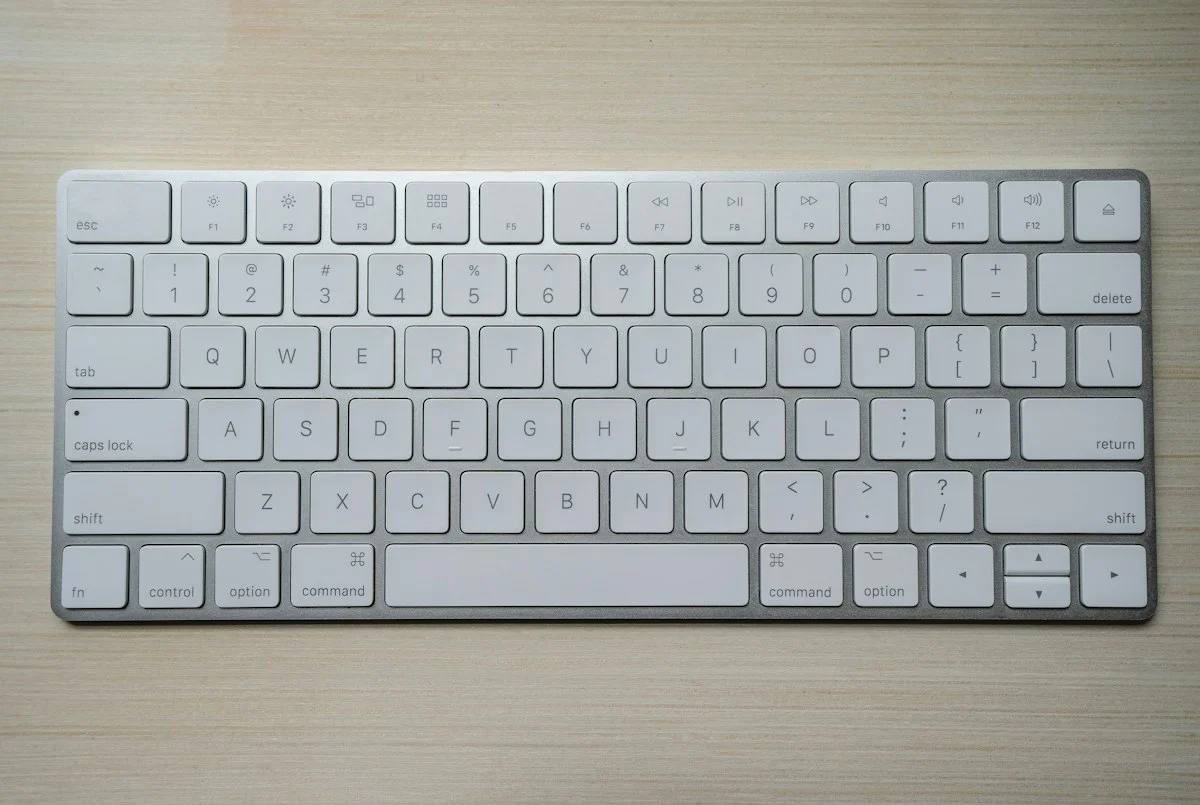
Designing high-retention keyboard shortcuts for enterprise SaaS requires adhering to four interaction conventions: never override standard browser shortcuts (e.g.
Cmd+T, Cmd+W, Cmd+R), anchor global search and action discovery to a unified Command Palette triggered by Cmd+K (macOS) or Ctrl+K (Windows/Linux), reserve single-key character shortcuts (e.g. J/K for list navigation, E for archive) strictly for focused viewports with disabled text input focus, and expose an accessible cheat sheet overlay via the universal question mark key (?).
The Power-User Paradox: Why Keyboard Ergonomics Drive Net Dollar Retention
In consumer software, onboarding flows focus on large clickable buttons, progressive disclosure, and intuitive visual cues. However, in high-volume enterprise software, repetitive point-and-click operations introduce physical strain, cognitive micro-interruptions, and measurable productivity losses. Every time a power user lifts their hand from the home row of the keyboard to move a mouse, aim at a 32px button, and click, the cognitive context switch consumes an average of 1.2 to 2.4 seconds.
When applications like Superhuman, Linear, GitHub, and Notion introduced keyboard-first interfaces, they transformed how modern SaaS tools are evaluated. Yet many design teams implement keyboard shortcuts erratically: inventing arbitrary multi-key combinations, colliding with operating system accessibility standards, or accidentally triggering destructive operations when users type inside text forms. Establishing a consistent, standardized keyboard navigation framework is essential for enterprise maturity.
Shortcut Taxonomy: The Three Levels of Keyboard Control
Modern web application shortcuts are categorized into three distinct operational layers:
| Shortcut Tier | Key Combination Pattern | Primary Interaction Function | Context Safeguard Rule |
|---|---|---|---|
| 1. Command Palette | Cmd+K / Ctrl+K |
Global spotlight dialog for fuzzy searching pages, actions, and entities. | Universal availability across all app screens. |
| 2. Single-Key Navigation | J / K, G then I, X |
Vim-style rapid cursor navigation (Up/Down), selection, and quick triage. | Disabled whenever an <input> or <textarea> has focus. |
| 3. Action Modifiers | Cmd+Enter, Cmd+S |
Direct execution: Submit Form, Save Draft, Assign Reviewer. | Must provide immediate visual confirmation toast. |
Conflict Resolution and Multi-Key Keybinding Sequences
As complex web applications expand, available single-key shortcuts inevitably collide. When an enterprise application offers 40 distinct features, assigning single-key triggers leads to catastrophic overlapping. To prevent keybinding congestion, modern SaaS tools implement sequential chord keybindings—a pattern pioneered by Google Workspace and GitHub.
Sequential keybindings require the user to press two keys in rapid sequence: for example, pressing G then I for Go to Inbox, or G then D for Go to Dashboard. Because the first key acts as a category gate, sequential shortcuts prevent accidental execution while dramatically expanding keyboard control capacity. If the user pauses for more than 1.5 seconds between keystrokes, the listener automatically resets to prevent unexpected action execution.
The Anatomy of an Enterprise Command Palette (Cmd+K)
The universal Command Palette has become the operating system of modern SaaS. Pioneered by desktop code editors like Sublime Text and VS Code, the Command Palette replaces buried nested menus with a single keyboard-driven spotlight modal.
To design an accessible, high-performance Command Palette:
- Fuzzy Search Engine: The search input must tolerate typos and partial matches. Typing “usr” should instantly surface “Invite User”, “User Permissions”, and “User Settings”.
- Context-Aware Grouping: Group results into semantic sections: Recent Pages, Quick Actions, and Navigation.
- Keyboard Shortcuts Displayed Inline: Alongside each search result item, display its dedicated keyboard shortcut in a clean keyboard badge (e.g.
[G][D]for Go to Dashboard), training users to bypass the palette over time. - Focus Trapping: When the palette opens, focus must be trapped strictly inside the dialog. Pressing the
Escapekey must immediately dismiss the modal and restore focus to the previous active element.
Accessibility and Focus Management: WCAG 2.2 Standards
Implementing keyboard shortcuts must never compromise web accessibility standards (WCAG 2.2). Under WCAG Success Criterion 2.1.4 (Character Key Shortcuts), if a web application supports single-character shortcuts (such as F for search or C for create), it must satisfy at least one of the following:
- Turn Off: A mechanism is available in user preferences to turn the single-key shortcuts off completely.
- Remap: A mechanism is available to remap the shortcut to include one or more modifier keys (Ctrl, Alt, Cmd).
- Active Only on Focus: The shortcut is only active when a specific interface component has focus.
Users who utilize speech-to-text dictation software (such as Dragon NaturallySpeaking) face severe barriers if character shortcuts are unconstrained; speaking a word like “cancel” could inadvertently trigger the C key and open unexpected modals.
Design for keyboard discoverability, not keyboard exclusivity. Every keyboard shortcut must correspond to a visible action that casual users can click with a mouse. Expose shortcuts through contextual hover tooltips and an accessible cheat sheet dialog opened via the universal ? key. By building keyboard fluency into your software, you convert transactional software users into loyal, high-retention enterprise advocates.
People Also Ask (PAA)
What is the most popular shortcut for command palettes?
The industry standard trigger for command palettes in web applications is Cmd+K on macOS and Ctrl+K on Windows and Linux, popularized by Slack, Linear, GitHub, and Raycast.
Why do apps use J and K keys for navigation?
The J (down) and K (up) keys originated in the Unix text editor Vi in 1976 because they sit directly under the resting index and middle fingers on the home row of a standard QWERTY keyboard, eliminating hand movement.
How do you show a keyboard shortcut cheat sheet in SaaS?
The standard design convention is pressing the question mark key (? or Shift+/) while not focused on a text input, which triggers a modal overlay listing all available shortcuts organized by category.