
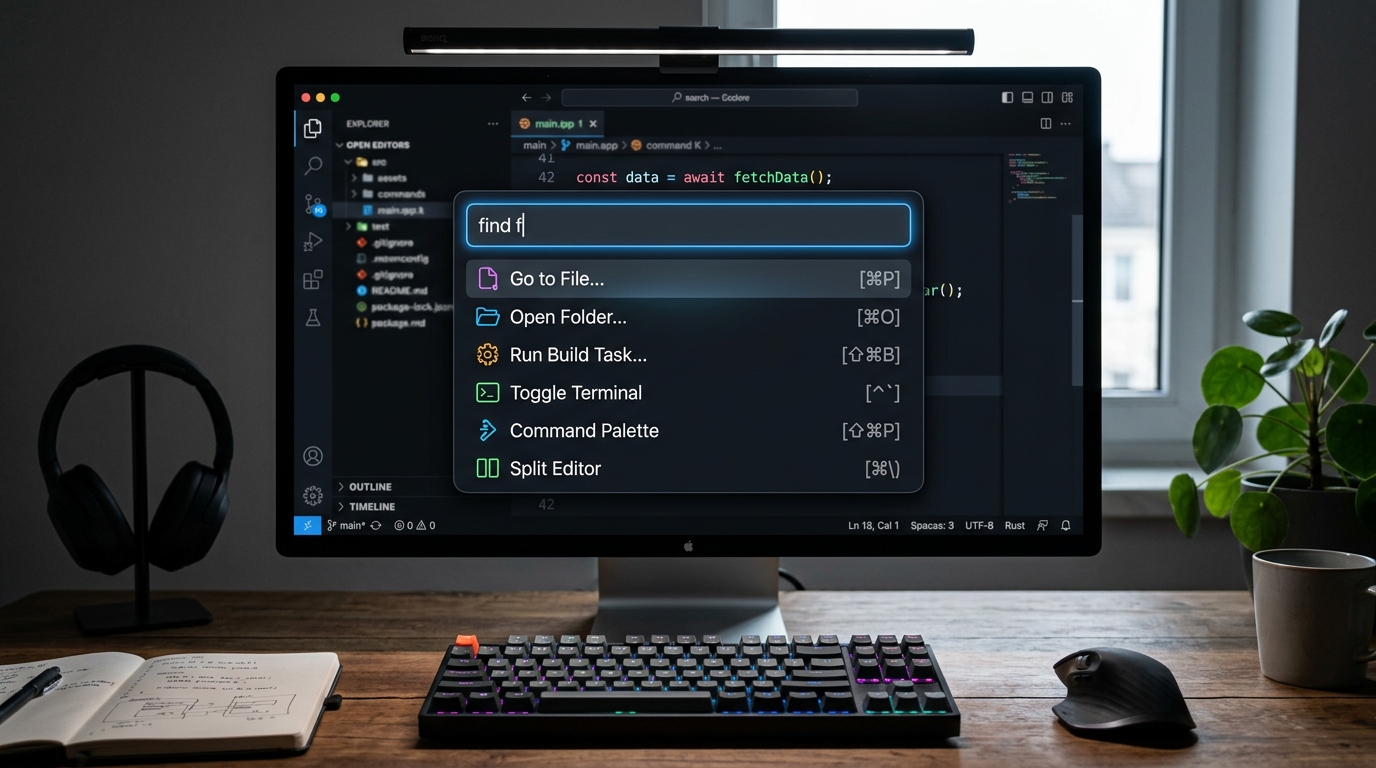
From Linear and Raycast to GitHub and Notion, the centered modal Command Palette (CMD+K / CTRL+K) has transitioned from a niche developer feature into the primary operating system of modern web applications. As enterprise SaaS platforms grow in navigational complexity—accumulating deep settings pages, complex entity records, and nested workflows—traditional multi-tiered dropdown menus collapse under cognitive load. A sub-50ms global action dispatcher allows power users to navigate, execute administrative tasks, and search across global databases without their fingers ever leaving the keyboard.
A production-grade command palette must satisfy three strict performance benchmarks: open-to-interaction latency under 16ms (60fps animation frame budget), sub-50ms fuzzy search scoring across client-cached entities, and comprehensive ARIA combobox accessibility. Implementing libraries like cmdk or kbar requires intelligent client-side indexing, keyboard event collision debouncing, and contextual action scoping based on the user’s active page.
What Makes an Outstanding Command Palette UX?
An outstanding command palette UX combines: (1) instant sub-16ms invocation via CMD+K / CTRL+K; (2) typo-tolerant fuzzy search that weights entity titles over body text; (3) contextual action hierarchies prioritizing recently used tasks; (4) visual keyboard shortcut hints (e.g.,
⌘+↵ to execute); and (5) zero modal scroll jank with full focus restoration upon closing.
The cardinal sin of command palette design is sluggish input latency. If typing into the search input drops frames because the fuzzy matching algorithm is re-indexing 10,000 raw JSON objects on the main thread, the interface feels unresponsive. Top-tier implementations offload fuzzy scoring to Web Workers or utilize optimized algorithms like Smith-Waterman or Bitap (found in libraries like Fuse.js or uFuzzy) to guarantee sub-millisecond character rendering.
Command Palette Ergonomics & Architectural Matrix
| Architectural Layer | Implementation Standard | UX Impact & Latency Budget |
|---|---|---|
| Keyboard Trigger | Global keydown listener with Mac/Windows detection |
Opens in < 16ms without conflicting with native browser inputs |
| Fuzzy Search Algorithm | Levenshtein distance + substring prefix weighting (uFuzzy / cmdk) | Results filter in < 5ms per keystroke across 5,000 items |
| Contextual Scoping | Detects active URL route to elevate relevant commands | Reduces cognitive load by showing “Export Invoice” on billing page |
| Accessibility (ARIA) | ARIA combobox pattern with aria-activedescendant |
Full screen reader support and WCAG 2.2 AA compliance |
For more on high-speed data presentation, read our benchmarks in TanStack Table v9 vs. AG Grid Community in 2026 and WCAG 2.2 AA Accessibility Compliance (2026).
Contextual Hierarchies & Keyboard Navigation Rules
When the palette opens on an empty search string, it should not display a blank void. Instead, it must offer a thoughtful default state:
- Recent Actions & Searches: Display the user’s last 3–5 executed commands or visited entities stored in
localStorage. - Contextual Suggestions: If the user invokes CMD+K while on a customer profile page, the top section should offer immediate customer-specific actions (e.g., “Change Plan”, “Issue Refund”, “Send Password Reset”).
- Keyboard Ergonomics: Arrow keys (
↑/↓) navigate list items with automated scroll centering;Tabautocompletes category prefixes;Enterexecutes; andEscapedismisses while cleanly restoring focus back to the preceding active element.
The Command Palette is the gold standard of high-efficiency web software. It bridges the gap between GUI visual comfort and CLI keyboard velocity. Build it with uncompromised attention to typing latency, fuzzy accuracy, and keyboard accessibility.
People Also Ask (PAA)
What is the best React library for building a command palette?
In 2026, Pacocoursey’s cmdk and kbar remain the premier unstyled, accessible React primitives for building high-performance command palettes.
How do you prevent CMD+K shortcut collisions in browser applications?
Use e.preventDefault() on the keydown event when detecting (e.metaKey || e.ctrlKey) && e.key === 'k', and ensure listeners ignore key events originating from active textareas or editable content.
Can a command palette execute API mutations directly?
Yes. Sophisticated command palettes can dispatch optimistic API mutations (like toggling status or creating records) directly from the input interface.