
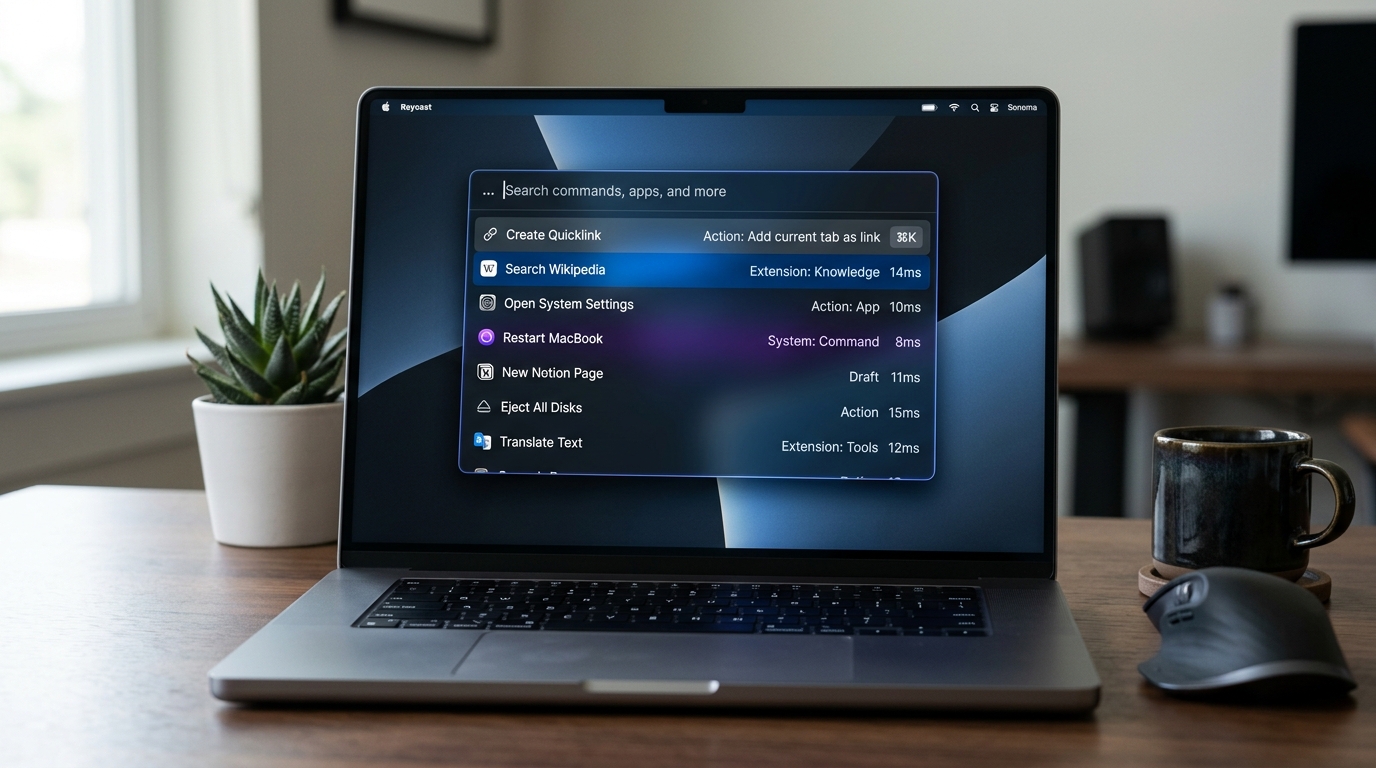
In the pantheon of modern desktop interaction design, few tools have shifted user behavior as radically as Raycast. While Apple’s native macOS Spotlight remained stagnant for nearly a decade—relegated to an uninspired file launcher with sluggish web previews—Raycast reimagined the command palette into a high-performance operating layer. By prioritizing sub-16ms frame budgets, zero-latency fuzzy search indexing, and deep action panel progressive disclosure, Raycast demonstrated how keyboard-first design transforms ordinary software into an indispensable extension of human cognition.
⌥ + Space → Type 3 characters → ⌘ + ↵).
Why Is Raycast’s Keyboard-First Command Bar UX Superior to Traditional Menus in 2026?
1. The 16ms Frame Budget: Why Keyboard-First UX Demands Instantaneous Rendering
When an interface is driven primarily by mouse pointers, human perception tolerates latency up to 100ms before an action feels sluggish. However, when an interface is driven by keyboard input, the tactile sensation of physical keystrokes creates an immediate neurological feedback loop. Any latency exceeding 16.6ms (the threshold for 60 FPS rendering) feels jarring, breaking the user’s flow state.
Raycast achieves perceptible zero-latency through several key architectural principles:
- Local-First In-Memory Indexing: Unlike web-backed palettes that dispatch asynchronous network requests on every keystroke, Raycast maintains an unindexed in-memory cache of commands, open tabs, scripts, and local extensions. Similar to Linear’s optimistic UI architecture, state is read and mutated locally before syncing downstream.
- Optimized Rust/C++ Native Core: Raycast’s underlying query engine executes modified Smith-Waterman fuzzy matching algorithms across tens of thousands of items in under 2 milliseconds.
- Fixed-Height Layout Predictability: By strictly constraining list item heights and recycling DOM/native view nodes during scrolling, layout recalculations (reflows) are completely eliminated.
2. Progressive Disclosure & The Secondary Action Panel (⌘ + K)
The single greatest structural breakthrough in Raycast’s UX is its separation of Primary Intent from Contextual Secondary Actions. In traditional search bars, designers clutter the interface by attempting to display all possible actions at once.
Raycast solves this through an elegant 2-tier progressive disclosure pattern:
- Primary Keystroke (
↵ Enter): Always executes the default, most probable action (e.g., Opening an application, running a script, or copying a primary value). - Action Panel Trigger (
⌘ + K): Slides in a focused, high-density secondary menu revealing every secondary operation (e.g., Copy Link, Reveal in Finder, Edit Script, Configure Extension) with explicit shortcut badges.
3. How SaaS Products Can Adapt the Raycast Pattern
Product designers building complex B2B dashboards should not view command bars as an advanced search gimmick; they are a fundamental replacement for bloated navigation bars. When designing web command palettes, ensure that your front-end code achieves 1:1 pixel parity between Figma auto-layout and production CSS so that badge alignments, shortcut glyphs, and glassmorphic overlays maintain crisp sub-pixel rendering.
Key Implementation Rules for Product Teams:
- Never Show Empty States Without Suggestions: An empty search input should immediately display the user’s top 5 most frequent commands or recently viewed entities.
- Display Explicit Keystroke Badges: Every action listed must show its corresponding shortcut (e.g.,
⌘ + C,⌥ + ↵). This passively trains users into high-speed power habits. - Preserve Query State Across Navigation: If a user opens a sub-form and returns to the command bar, restore their previous cursor position and query string.
People Also Ask
Why is Raycast faster than Apple Spotlight?
Raycast executes local in-memory fuzzy indexing and utilizes a native Rust/C++ runtime engine optimized for sub-16ms rendering, whereas macOS Spotlight often introduces latency by checking remote web suggestions and Siri knowledge databases.
What is the ⌘+K shortcut pattern in modern UX design?
The ⌘+K (Command+K or Ctrl+K) pattern is a universal design standard for opening global command palettes in desktop and web applications, allowing users to navigate, search entities, and trigger complex actions purely via keyboard commands without lifting their hands from the keyboard.
How does keyboard-first UX design impact SaaS retention?
Keyboard-first interaction patterns significantly reduce Time-to-Value (TTV) and cognitive friction for daily active users. Power users who master keyboard shortcuts complete tasks up to 300% faster, creating high switching costs and deeper product lock-in.